Best AI Tools for Beginners in 2026
Artificial intelligence has quickly become one of the most useful technologies for everyday users. You no longer need programming skills or technical experience to benefit from AI.
From writing and research to image creation, productivity, coding, and learning, there are now AI tools designed for almost every type of task.
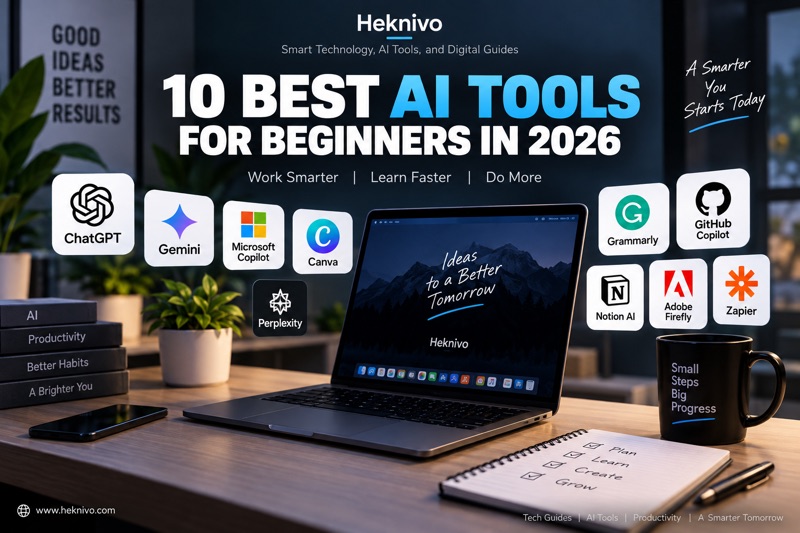
If you’re new to artificial intelligence, the number of available tools can feel overwhelming. That’s why we’ve put together this beginner-friendly list of 10 of the best AI tools to try in 2026.
1. ChatGPT
Best for: Writing, learning, brainstorming, and everyday questions.
ChatGPT is one of the easiest AI tools for beginners because you can interact with it using normal language.
You can use it to:
- Write and improve text
- Summarize information
- Brainstorm ideas
- Learn new subjects
- Create study plans
- Explain complicated topics
- Generate and review code
The key to getting better results is giving the AI clear instructions and enough context.
Beginner tip: Instead of asking, “Write an article,” try explaining the topic, audience, desired length, tone, and structure.
2. Google Gemini
Best for: Research, brainstorming, and working with Google’s ecosystem.
Google Gemini is Google’s AI assistant and can be useful for answering questions, generating ideas, writing, and analyzing information.
It’s particularly convenient for people who already use Google services regularly.
Beginners can start with simple tasks such as asking Gemini to explain a topic, summarize text, generate ideas, or help organize information.
3. Microsoft Copilot
Best for: Productivity and Microsoft users.
Microsoft Copilot is designed to assist users with everyday tasks and productivity.
Depending on the version and services you’re using, Copilot can help with writing, summarization, brainstorming, research, and other tasks.
If you already use Microsoft products, it can be a natural way to start experimenting with AI.
4. Canva AI
Best for: Creating graphics and visual content.
You don’t have to be a professional designer to create attractive graphics anymore.
Canva includes AI-powered features that can help users generate and edit visual content.
You can use it for:
- Blog graphics
- Social media posts
- Presentations
- Posters
- Marketing materials
- Simple illustrations
For bloggers, Canva can be especially useful for creating featured images and social media graphics.
5. Perplexity
Best for: AI-powered research.
Perplexity is designed around searching for information and providing answers with sources.
This makes it useful when you want to explore a topic quickly rather than manually opening dozens of search results.
For beginners, a good starting point is asking a specific question and then reviewing the sources provided.
Important: Always verify important information yourself, especially for medical, financial, legal, or other high-stakes topics.
6. Grammarly
Best for: Improving writing.
Grammarly uses AI-powered features to help users improve their writing.
It can help identify issues with grammar, spelling, clarity, and tone.
It’s particularly useful for students, bloggers, professionals, and anyone who writes emails or documents regularly.
Even if English isn’t your first language, tools like Grammarly can make writing easier to review and polish.
7. GitHub Copilot
Best for: Programmers and people learning to code.
GitHub Copilot is an AI coding assistant that can help developers write and understand code.
It can suggest code, help explain programming concepts, and assist with common development tasks.
Beginners learning programming can use AI coding assistants as learning aids—but they shouldn’t blindly copy generated code.
Understanding what the code does is still essential.
8. Notion AI
Best for: Notes, organization, and productivity.
Notion is a popular workspace for notes, projects, and organization, and its AI features can help users work with their content.
You can use AI to summarize notes, brainstorm ideas, organize information, and assist with writing.
For someone trying to manage a blog, Notion can also be useful for maintaining an editorial calendar and storing article ideas.
9. Adobe Firefly
Best for: AI-assisted creative work.
Adobe Firefly provides AI-powered creative tools for generating and editing visual content.
It’s useful for people who want to experiment with AI-generated images and creative effects.
Bloggers can use tools like this to explore ideas for article illustrations, thumbnails, and other visual content.
10. Zapier AI
Best for: Automating repetitive tasks.
AI becomes even more useful when combined with automation.
Zapier allows users to connect different applications and automate workflows. Its AI-related features can help users build smarter workflows without necessarily having advanced programming skills.
For example, you could create workflows that move information between applications or help organize incoming data.
How Should Beginners Choose an AI Tool?
You don’t need to use all ten tools.
Instead, start with one tool that solves a problem you already have.
For example:
- Need help writing? → ChatGPT or Grammarly
- Want to research a topic? → Perplexity
- Need graphics? → Canva
- Use Microsoft products? → Copilot
- Use Google services? → Gemini
- Learning to code? → GitHub Copilot
- Want better organization? → Notion AI
- Interested in AI images? → Adobe Firefly
- Want automation? → Zapier
Starting small makes learning AI much easier.
Tips for Getting Better Results From AI
The quality of an AI response often depends on how you ask your question.
Instead of giving a vague instruction, provide:
1. Context
Explain what you’re trying to accomplish.
2. Role
Tell the AI what perspective it should use.
3. Format
Specify whether you want a list, table, explanation, email, or another format.
4. Audience
Tell it who the content is intended for.
5. Constraints
Mention important limits such as word count, tone, or complexity.
For example:
“Explain cloud computing to a complete beginner using simple English. Give me three real-world examples and keep the explanation under 500 words.”
That’s much more specific than:
“Explain cloud computing.”
Final Thoughts
AI tools can make many everyday tasks faster and easier, but you don’t need to become an AI expert to start using them.
Choose one tool, experiment with simple tasks, and gradually learn more advanced features as you become comfortable.
The most important thing is to treat AI as an assistant rather than an unquestionable source of truth. Review important information, check facts when necessary, and use your own judgment.
Which AI tool are you planning to try first? Start with one today and see how much time it can save you.
Want more practical technology guides? Explore Heknivo for beginner-friendly AI, software, productivity, and technology tips.


Comments
Post a Comment