How to Create a Website With AI Without Coding
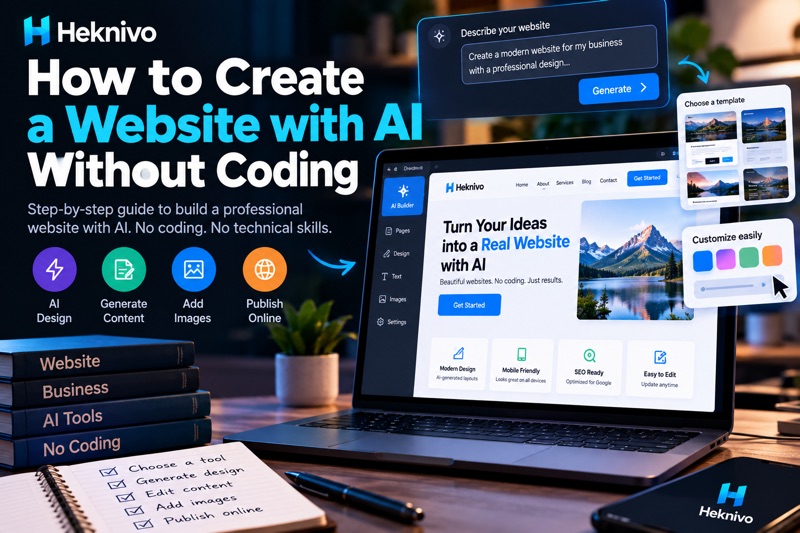
Creating a website used to require knowledge of HTML, CSS, JavaScript, hosting, and web design.
Today, AI website builders can handle much of the technical work for you. You can describe the website you want in plain language, and AI can generate the structure, design, text, and sometimes even images and code.
In this guide, we’ll show you how to create a professional website with AI without writing code.
Can AI Really Create a Website Without Coding?
Yes.
Modern AI website tools can generate websites from a simple description.
For example, you could enter:
Create a modern website for a small coffee shop. Include a homepage, menu section, about section, contact information, opening hours, and a button for online orders.
The AI can then generate a starting website based on your instructions.
You can usually customize the colors, text, images, sections, and layout without touching the code.
What You Need Before You Start
You don’t need to be a programmer.
You’ll mainly need:
- A website idea
- A domain name
- Website content
- Images or graphics
- An AI website builder
- Hosting, depending on the platform
If you’re creating a business website, it’s also useful to decide what action you want visitors to take.
For example:
- Contact you
- Book an appointment
- Buy a product
- Request a quote
- Subscribe to your newsletter
Step 1: Decide What Your Website Is For
Before opening an AI website builder, define the purpose of your website.
A simple website could be:
Business website
A website for a local cleaning company with services, pricing, contact information, and a booking form.
Portfolio
A personal portfolio showing projects, skills, experience, and contact information.
Online store
An e-commerce website selling accessories with product pages and a shopping cart.
Blog
A website publishing articles about artificial intelligence and technology.
The clearer your idea is, the better your AI-generated website will be.
Step 2: Choose an AI Website Builder
There are several types of tools you can use.
Wix
Wix provides AI-assisted website creation and editing features that can help beginners build websites without traditional coding.
Hostinger Website Builder
Hostinger offers AI-assisted website creation alongside hosting and domain-related services.
Framer
Framer combines website design with AI-assisted generation and is particularly useful for modern, visually focused websites.
10Web
10Web provides AI-powered website creation features, particularly around WordPress websites.
Other AI Website Builders
The AI website-building market changes quickly, so features, pricing, and available plans can change over time.
Before choosing a platform, check whether it supports the features you actually need.
Step 3: Give the AI a Detailed Prompt
This is one of the most important steps.
Don’t simply tell the AI:
Make me a website.
Give it useful information.
For example:
Create a modern website for a digital marketing agency called Bright Media.
The website should have:
- A professional homepage
- Services section
- About us section
- Portfolio section
- Customer testimonials
- Contact form
- Clear “Get a Quote” button
Use a clean, modern design with plenty of white space and a professional color palette.
Make the website responsive for mobile, tablet, and desktop.
The more specific your instructions are, the easier it is for the AI to create something close to what you want.
Step 4: Generate Your Website
After entering your description, let the AI generate the initial design.
Don’t worry if the first version isn’t perfect.
Think of it as a starting point.
Review:
- Homepage layout
- Navigation
- Text
- Images
- Buttons
- Colors
- Fonts
- Mobile layout
Then start making changes.
Step 5: Improve the AI-Generated Content
AI can create website text, but you shouldn’t automatically publish everything it generates.
Read the content carefully.
Remove unnecessary sentences and make the language sound natural.
For example, instead of:
We are passionate about delivering innovative and cutting-edge solutions that empower businesses to achieve their goals.
You could write:
We help small businesses create better websites and attract more customers.
Simple writing is often easier for visitors to understand.
Step 6: Add Your Own Images
AI-generated websites often look generic when they use the default images.
Replace them with images that actually represent your business.
You can use:
- Your own photographs
- Product photos
- Screenshots
- Brand graphics
- Licensed stock images
- AI-generated visuals where appropriate
Make sure you have the necessary rights to use images commercially.
Step 7: Make the Website Mobile-Friendly
This step is extremely important.
Many visitors browse websites from smartphones.
Check how your website looks on:
Desktop → Tablet → Mobile
Look for:
- Text that’s too large
- Buttons that are difficult to tap
- Images overflowing the screen
- Menus that don’t work correctly
- Slow-loading elements
- Sections that look crowded
A website that looks great on a computer can still have problems on a phone.
Step 8: Add Your Domain Name
Your domain is the address people use to visit your website.
For example:
Try to choose a domain that is:
- Short
- Easy to remember
- Easy to spell
- Related to your brand
Avoid unnecessarily complicated names or long combinations of numbers and symbols.
Step 9: Add Important Website Pages
A professional website usually needs more than a homepage.
Depending on your project, consider adding:
Home
Explain what you offer and why visitors should care.
About
Tell visitors who you are and what your business does.
Services
Explain your main services clearly.
Contact
Provide a way for visitors to reach you.
Privacy Policy
Important when collecting visitor information or using certain advertising/analytics services.
Terms and Conditions
Useful for many businesses and online services.
Step 10: Optimize Your Website for Google
Creating a website doesn’t automatically mean Google will rank it.
Start with basic SEO.
For every important page, create:
A clear title
Best Digital Marketing Services for Small Businesses
A useful meta description
Discover practical digital marketing services designed to help small businesses attract more customers online.
A descriptive URL
Instead of:
Use:
website.com/digital-marketing-services
Also make sure your content actually answers questions people search for.
Step 11: Test Everything Before Publishing
Before launching your website, test:
☑ Navigation
☑ Contact forms
☑ Buttons
☑ Links
☑ Images
☑ Mobile layout
☑ Desktop layout
☑ Page loading
☑ Spelling
☑ Privacy pages
Try visiting the website as if you’re a new customer.
Ask yourself:
Can I understand what this business does within a few seconds?
If the answer is no, simplify the homepage.
Best AI Prompt for Creating a Website
You can copy this prompt and customize it:
Create a professional, modern, mobile-friendly website for [BUSINESS NAME].
Business type: [BUSINESS TYPE]
Target audience: [TARGET AUDIENCE]
Main goal: [GOAL]
Include:
- Homepage
- About section
- Services/products
- Testimonials
- FAQ
- Contact section
- Strong call-to-action
Use a clean and modern design with clear navigation, readable typography, strong visual hierarchy, and responsive layouts.
Write concise, natural-sounding website copy. Avoid generic marketing phrases.
Optimize the structure for SEO and make the website easy to navigate on mobile devices.
Can You Create a Website for Free With AI?
Yes, some platforms offer free plans or free website-building features.
However, free plans may have limitations such as:
- Platform branding
- Subdomains
- Limited storage
- Limited AI usage
- Fewer customization options
- Restrictions on connecting a custom domain
- Limited business features
If you’re creating a serious business website, compare the current plans before choosing a platform.
AI Website Creation vs. Traditional Website Development
|
AI Website Creation |
Traditional Development |
|
Faster to start |
Usually takes longer |
|
Beginner-friendly |
Requires technical skills |
|
Less coding |
More control over code |
|
AI-generated design |
Fully custom design |
|
Good for many simple projects |
Better for highly customized systems |
|
Easier for beginners |
More development flexibility |
AI doesn’t eliminate the need for good design or planning.
It simply makes the technical starting point much easier.
Final Thoughts
You don’t need to become a programmer to build a website anymore.
With AI website builders, you can describe your idea, generate a starting design, customize the content, connect a domain, and publish your website with little or no coding.
The key is to use AI as a starting point rather than blindly publishing what it generates.
Give the AI clear instructions, replace generic content, use your own branding, test the website on mobile, and optimize each important page for your audience.
The best AI-generated website isn’t the one created fastest — it’s the one that’s actually useful to the people who visit it.


Comments
Post a Comment