Best AI Tools for Small Businesses
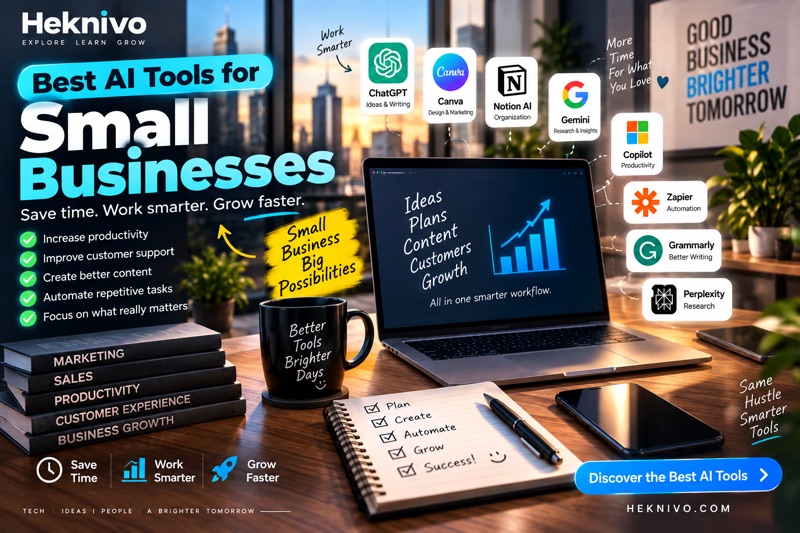
Artificial intelligence is no longer limited to large companies with big technology teams. Today, small businesses can use AI tools to save time, improve customer communication, create content, organize information, and automate repetitive tasks.
The right AI tools can help a small business owner spend less time on routine work and more time growing the business.
1. ChatGPT
ChatGPT can help small businesses with a wide range of everyday tasks.
You can use it to:
- Write emails and business messages
- Create social media ideas
- Draft product descriptions
- Brainstorm marketing campaigns
- Summarize documents
- Create business plans
- Generate ideas for new products or services
- Answer common customer questions
For example, you can ask:
Create 10 social media post ideas for a small coffee shop targeting customers aged 18–35.
Instead of starting from a blank page, you get a starting point that you can edit and improve.
2. Canva AI
Canva can help small businesses create visual content without requiring advanced graphic design skills.
You can use it to create:
- Social media posts
- Presentations
- Posters
- Flyers
- Marketing graphics
- Simple promotional materials
AI-powered features can make it easier to generate ideas and create designs faster.
This can be especially useful for businesses that need regular social media content.
3. Google Gemini
Google Gemini can assist with writing, brainstorming, research, and other productivity tasks.
A small business owner could use it to:
- Generate content ideas
- Summarize information
- Draft business emails
- Brainstorm marketing strategies
- Organize ideas
- Research topics
It can be useful when you need help processing information quickly.
4. Microsoft Copilot
Microsoft Copilot can be particularly useful for businesses that already use Microsoft products.
Depending on the available features and plan, AI assistance can help with tasks involving documents, emails, presentations, spreadsheets, and other workplace activities.
For example, you might use AI to help summarize information or create a first draft of a business document.
5. Grammarly
Good communication matters for every business.
Grammarly can help improve written communication by identifying issues with grammar, spelling, clarity, and tone.
Small businesses can use it when writing:
- Customer emails
- Website content
- Marketing messages
- Product descriptions
- Business documents
Clear writing can make business communication easier to understand and more professional.
6. Notion AI
Notion AI can help businesses organize information and manage internal work.
You can use it for:
- Meeting notes
- Project planning
- Task organization
- Brainstorming
- Summaries
- Internal documentation
A small team can use a centralized workspace to keep important information easier to find.
7. Zapier
Many businesses spend time moving information between different applications.
Automation platforms such as Zapier can connect different services and automate repetitive workflows.
For example, a business could create a workflow that automatically:
- Receives a form submission.
- Adds the information to a spreadsheet or database.
- Sends a notification.
- Creates a follow-up task.
Automating repetitive processes can reduce manual work.
8. Adobe Firefly
Small businesses often need images for marketing and social media.
Adobe Firefly provides AI-powered creative tools that can help generate or modify visual content.
Businesses can use AI-assisted image creation for brainstorming concepts, marketing visuals, and creative projects while still reviewing the results before publishing them.
9. Perplexity
Research can take a significant amount of time for small business owners.
Perplexity can help research topics and find information from the web while providing sources for its answers.
You could use it to research:
- Industry trends
- Competitors
- Product ideas
- Customer questions
- General market information
Always check important information against the original sources before making business decisions.
10. AI Tools for Customer Support
AI can also help businesses handle common customer questions.
Depending on the platform, AI-powered customer support tools can help with:
- Frequently asked questions
- Basic customer requests
- Product information
- Support documentation
- Initial responses
However, businesses should make sure customers can reach a human when a problem requires personal assistance.
How Small Businesses Should Choose AI Tools
You don’t need dozens of AI applications.
Start by identifying the tasks that take the most time.
For example:
Problem: Writing social media posts takes two hours every week.
Possible solution: Use an AI writing tool to generate initial ideas and drafts.
Problem: Employees repeatedly answer the same questions.
Possible solution: Create an FAQ or AI-assisted support system.
Problem: Moving information between applications takes time.
Possible solution: Use automation tools to connect the applications.
The goal should be to solve a specific business problem rather than use AI simply because it is popular.
Start With Free AI Tools
Many AI services offer free versions or limited free features.
For a small business, it can make sense to test a tool before paying for a subscription.
A simple approach is:
- Choose one repetitive task.
- Find an AI tool that can help.
- Test it for a few days.
- Measure how much time it saves.
- Decide whether it is worth paying for.
This prevents unnecessary software expenses.
Protect Your Business Information
AI tools can be useful, but businesses should be careful about the information they enter into them.
Avoid sharing sensitive information unless you understand how the specific service handles data.
Be particularly careful with:
- Customer personal information
- Passwords
- Financial information
- Private business documents
- Confidential contracts
- Proprietary information
Always review the privacy and data-handling policies of the tools you use.
Don’t Rely on AI for Everything
AI can make mistakes.
Before publishing or using AI-generated information, review it carefully.
This is especially important for:
- Financial information
- Legal documents
- Business contracts
- Customer communications
- Technical information
- Important business decisions
AI should support your decisions rather than replace human judgment.
A Simple AI Toolkit for a Small Business
A small business could start with a simple combination of tools:
Writing and brainstorming: ChatGPT or Gemini
Graphic design: Canva
Writing quality: Grammarly
Organization: Notion
Automation: Zapier
Research: Perplexity
You don’t need to use all of them. Choose the tools that solve your actual problems.
Final Thoughts
AI can give small businesses access to powerful productivity and creative capabilities without requiring a large technology team.
The biggest benefit isn’t simply generating content or getting answers faster. It’s using AI to reduce repetitive work and give business owners more time to focus on customers, products, and growth.
Start with one task, test one tool, and measure the results. If it genuinely saves time or improves your workflow, gradually expand your use of AI.
The best AI setup for a small business isn’t the one with the most tools. It’s the one that solves real problems efficiently.


Comments
Post a Comment