How to Use AI to Create a Professional Resume
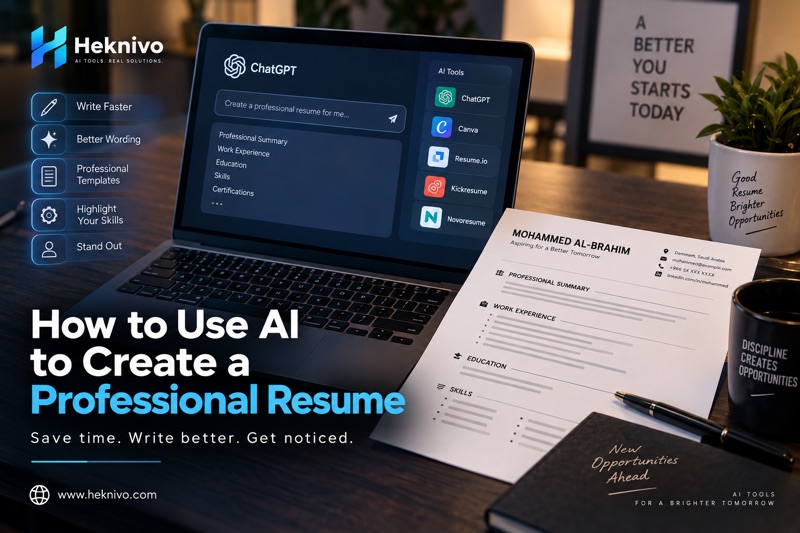
Creating a professional resume can be difficult, especially when you are not sure how to describe your experience, skills, and achievements.
AI tools can make this process much easier. Instead of starting with a blank document, you can use AI to organize your information, improve your writing, and create stronger descriptions of your experience.
However, AI should help you improve your resume, not invent information about your career.
In this guide, you will learn how to use AI to create a professional resume step by step.
1. Start With Your Real Information
Before asking an AI tool to write your resume, collect your basic information.
You may need:
- Full name
- Contact information
- Education
- Work experience
- Internships
- Skills
- Certifications
- Projects
- Languages
- Professional achievements
Do not ask AI to invent experience, qualifications, or certifications that you do not have.
The better the information you provide, the more useful the result will be.
2. Use AI to Write a Professional Summary
Your professional summary is usually one of the first sections recruiters see.
Instead of writing a generic paragraph, give AI information about your background and the type of job you want.
Example prompt:
Write a professional resume summary based on this information:
Education: [your education]
Experience: [your experience]
Skills: [your skills]
Target job: [job title]
Keep it concise, professional, and focused on relevant strengths. Do not invent any information.
AI can then create several versions that you can compare and edit.
3. Turn Job Duties Into Strong Resume Bullet Points
One of the most useful ways to use AI is improving descriptions of your previous work.
For example, instead of writing:
Responsible for checking equipment.
You can give AI your original duty and ask it to make the wording more professional.
Prompt:
Rewrite the following resume bullet point to sound professional and clear. Keep the meaning accurate and do not add achievements that are not mentioned:
[Your original sentence]
This can help make your experience easier to understand.
4. Focus on Achievements When Possible
A strong resume should explain not only what you did, but also the results of your work when those results can be accurately described.
For example:
Basic:
Helped customers with technical issues.
More specific:
Assisted customers with technical issues and provided solutions based on their individual needs.
If you have a real measurable result, you can include it.
For example:
Reduced processing time by 20% by improving the workflow.
Only include numbers that you can support with your actual experience.
5. Use AI to Identify Relevant Skills
Sometimes you have useful skills but do not know how to present them.
Give AI your education and work experience and ask it to identify relevant skills.
Example prompt:
Based only on the education and experience below, suggest relevant technical and soft skills that I can consider adding to my resume. Do not invent qualifications.
[Insert your information]
You should then review the suggestions and keep only the skills you genuinely have.
6. Customize Your Resume for Each Job
One resume does not always need to be identical for every application.
If a job description emphasizes specific skills or responsibilities, you can use AI to help identify which parts of your existing experience are relevant.
Prompt:
Compare my resume with this job description. Identify the skills and experience from my resume that are most relevant to this position. Do not invent new qualifications.
Resume:
[Paste resume]
Job description:
[Paste job description]
This can help you decide what information deserves more attention.
7. Improve Your Resume Language
AI can also act as a writing assistant.
You can ask it to check your resume for:
- Grammar mistakes
- Spelling errors
- Repeated words
- Unclear sentences
- Unnecessary information
- Inconsistent formatting
- Professional tone
Useful prompt:
Review my resume for grammar, clarity, spelling, and professional language. Keep my information accurate and do not add new qualifications. List the changes you recommend.
This is especially useful if English is not your first language.
8. Ask AI to Make Your Resume More Concise
A common resume problem is including too much information.
If your resume contains long paragraphs, ask AI to shorten them while keeping the important details.
Prompt:
Make this resume section more concise and professional. Keep the important information and remove unnecessary words. Do not change the meaning.
Shorter descriptions can make your resume easier to scan.
9. Create Different Versions of Your Resume
You can use AI to create different versions of the same resume for different career goals.
For example, you might have:
- A technical resume
- A general professional resume
- An internship resume
- A graduate resume
- A management-focused resume
The key is to keep all information truthful while changing the emphasis depending on the position.
10. Ask AI to Review the Final Resume
Before submitting your resume, use AI for a final review.
Final review prompt:
Review this resume as a professional resume editor. Identify unclear wording, grammar problems, unnecessary information, weak bullet points, and areas that could be improved. Do not invent experience or qualifications. Give me specific suggestions for improvement.
Then review the suggestions yourself.
Remember: AI can make mistakes.
Always check the final resume before sending it to an employer.
A Complete AI Resume Prompt
If you want to create a resume from scratch, you can use this prompt:
Create a professional resume based only on the information I provide below.
Target position: [Job Title]
Name: [Your Name]
Education: [Education]
Work experience: [Experience]
Skills: [Skills]
Certifications: [Certifications]
Projects: [Projects]
Languages: [Languages]
Structure the resume clearly with a professional summary, work experience, education, skills, certifications, and other relevant sections.
Use concise professional language. Highlight relevant experience and achievements when provided. Do not invent information, qualifications, responsibilities, employers, achievements, or dates.
Important Mistakes to Avoid
Using AI does not mean you should copy everything it generates.
Avoid these mistakes:
1. Inventing experience
Never add a job, certification, skill, or achievement simply because AI suggested it.
2. Using generic descriptions
Your resume should reflect your actual experience rather than generic AI-generated phrases.
3. Making every sentence too complicated
Professional writing does not need to sound complicated. Clear and specific language is usually better.
4. Forgetting to proofread
Always check names, dates, job titles, company names, contact information, and other important details.
5. Using the same resume everywhere
Customize the emphasis of your resume when applying for different types of positions.
Final Thoughts
AI can make creating a professional resume much easier. You can use it to improve your writing, organize your experience, identify relevant skills, customize your resume, and find areas that need improvement.
The most important rule is simple:
Use AI to improve your real experience, not to create a fictional one.
When you combine your real skills and experience with careful AI assistance, you can create a clearer and more professional resume that represents you accurately.
Looking for more practical ways to use AI? Explore our other guides on Heknivo to discover useful AI tools and productivity tips.


Comments
Post a Comment