How to Use AI Tools for Work and Study: 15 Practical Tips for Beginners
Artificial intelligence has changed the way people work, study, research, write, and organize their daily tasks.
Today, AI tools can help with everything from explaining difficult concepts and summarizing information to creating ideas, improving writing, analyzing data, and managing repetitive tasks.
But using AI effectively is not simply about asking a question and accepting the first answer. The real benefit comes from knowing which tool to use, how to give it useful instructions, and how to review the results.
In this guide, you will learn 15 practical ways beginners can use AI tools for work and study.
1. Start With a Clear Goal
One of the biggest mistakes beginners make is giving an AI tool a vague request.
Instead of:
Tell me about marketing.
Try:
Explain the basics of digital marketing to a beginner using five simple sections and one practical example for each section.
A clear goal gives the AI better direction and usually produces a more useful result.
A simple formula
Try structuring your prompts around:
Goal + Context + Requirements + Format
For example:
Create a weekly study plan for a university student who has three exams in two weeks. Make the plan realistic and organize it in a table.
2. Use AI to Understand Difficult Topics
AI tools can make complicated subjects easier to understand.
For example, you can ask:
Explain cloud computing to me as if I have never studied technology before.
Then continue with:
Give me a simple real-world example.
You can even ask the AI to gradually increase the difficulty:
Now explain the same topic at an intermediate level.
This makes AI useful as a personal learning assistant.
3. Create Study Materials
Students can use AI to turn a topic into useful revision materials.
For example:
Create 20 multiple-choice questions about photosynthesis. Include the correct answer and a short explanation.
You can also create:
- Flashcards
- Practice tests
- Revision notes
- Study guides
- Question-and-answer exercises
- Topic summaries
However, important academic information should always be checked against reliable sources, textbooks, or your instructor.
4. Summarize Long Information
AI tools can help turn large amounts of information into something easier to review.
For example:
Summarize this text in 10 bullet points. Keep the important information and remove unnecessary details.
You can then ask:
What are the five most important things I should remember?
This can be useful when reviewing notes, reports, articles, or other non-sensitive material.
5. Improve Your Writing
AI can help improve the clarity and structure of your writing.
For example:
Rewrite this paragraph to make it clearer and more professional while keeping the original meaning.
You can also specify the audience:
Rewrite this explanation for someone who has no technical background.
AI can help with emails, reports, essays, articles, presentations, and other types of writing.
6. Write Better Emails
Professional emails can take time to write.
AI can help create a first draft based on the information you provide.
For example:
Write a polite and professional email asking my manager for two days off next week. Keep it concise.
You can then refine the result:
Make it sound more natural and friendly.
Always review the final email before sending it.
7. Brainstorm Ideas
When you do not know where to start, AI can help generate ideas.
For example:
Give me 20 blog post ideas about artificial intelligence for beginners. Focus on practical topics.
You can then narrow the list:
Choose the five strongest ideas and explain why they would be useful to readers.
This can be particularly helpful for content creators, students, marketers, and entrepreneurs.
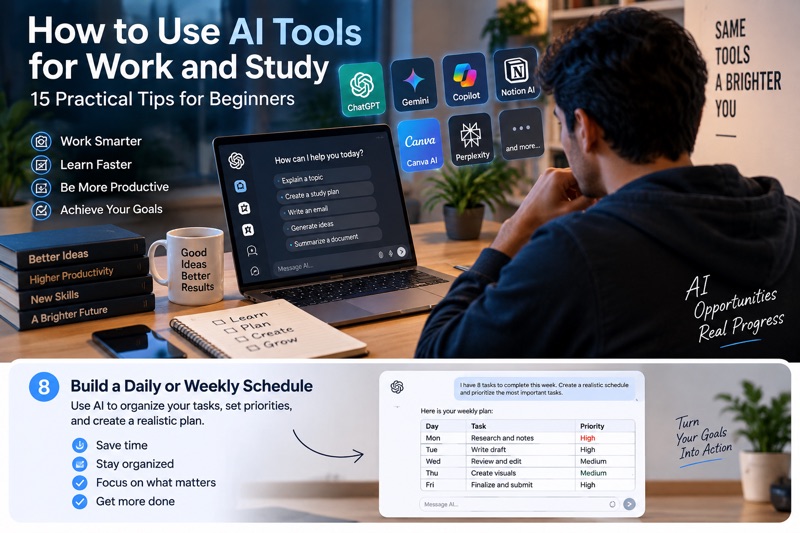
8. Build a Daily or Weekly Schedule
AI can help organize a busy schedule.
For example:
I have eight tasks to complete this week. Create a realistic schedule and prioritize the most important tasks.
For better results, include:
- Deadlines
- Available hours
- Task difficulty
- Your priorities
- Break times
The more relevant context you provide, the more useful the plan can be.
9. Use the Right AI Tool for the Task
Not every AI tool is designed for the same purpose.
Depending on your goal, you might use AI for:
- Writing and brainstorming
- Research
- Image creation
- Coding
- Design
- Data analysis
- Productivity
- Automation
Tools such as ChatGPT, Google Gemini, Microsoft Copilot, Canva’s AI features, and other specialized services can have different strengths.
If you are new to AI, check out our guide to the Best AI Tools for Beginners.
The goal is not to use the most AI tools. It is to use the right tool for the job.
10. Give the AI a Role
Sometimes it helps to tell the AI what kind of assistant you want it to be.
For example:
Act as a beginner-friendly technology tutor. Explain artificial intelligence using simple language and practical examples.
Or:
Act as a professional writing editor. Review this paragraph for clarity and grammar.
Giving the AI a role can help establish the context and style you want.
11. Ask for Different Formats
The same information can be presented in many different ways.
For example, after receiving an explanation, you could ask:
Turn this into five bullet points.
Then:
Turn those points into a presentation outline.
Then:
Create a one-minute explanation I can say during a presentation.
This makes AI useful for preparing study notes, presentations, meetings, and training materials.
12. Use Follow-Up Questions
You do not have to start a new conversation every time you have another question.
For example:
Question:
What is machine learning?
Then:
Give me a simple example.
Then:
What is the difference between machine learning and traditional programming?
Then:
Test my understanding with five questions.
This turns a basic AI conversation into a more interactive learning session.
13. Ask AI to Review Your Work
AI can act as a second pair of eyes.
For example:
Review this paragraph for grammar, spelling, and clarity. Do not change the meaning.
You can also ask:
Review this project plan and identify possible weaknesses or missing steps.
This can help you notice issues that you might otherwise overlook.
Still, AI should be treated as a helper rather than the final authority, especially for important decisions.
14. Turn Ideas Into Action Plans
Information is useful, but knowing what to do next is often more valuable.
Instead of asking only:
How can I learn web design?
Try:
Create a beginner roadmap for learning web design over the next three months. Divide it into weekly goals and include practical projects.
You can use the same approach for:
- Learning a language
- Starting a project
- Building a website
- Improving productivity
- Learning programming
- Preparing for an exam
15. Learn How to Write Better Prompts
One of the most valuable AI skills is learning how to give better instructions.
Compare these two prompts.
Basic prompt
Write an article about AI.
Better prompt
Write a beginner-friendly article about how artificial intelligence is changing everyday life. Use clear headings, short paragraphs, practical examples, and simple language. Include an introduction, useful tips, and a conclusion.
The second prompt gives the AI more information about the desired result.
For more ready-to-use examples, check out our guide to 25 ChatGPT Prompts for Beginners to Save Time.
5 AI Prompt Templates You Can Use Today
Here are five simple templates you can copy and customize.
Study
Explain [TOPIC] to me as a beginner. Use simple language, practical examples, and finish with five questions to test my understanding.
Writing
Rewrite the following text to make it clearer and more professional while keeping the original meaning: [TEXT]
Productivity
Create a realistic schedule for these tasks: [TASKS]. My available time is [TIME]. Prioritize the most important tasks.
Research
Help me understand [TOPIC]. Explain the main concepts, important questions to investigate, and what reliable sources I should check.
Brainstorming
Give me 20 practical ideas for [PROJECT]. Focus on realistic ideas that are useful for beginners.
Common Mistakes to Avoid When Using AI
AI can be extremely useful, but there are several mistakes beginners should avoid.
Trusting every answer
AI systems can sometimes produce incorrect or outdated information. Verify important facts with reliable sources.
Being too vague
A vague request can produce a vague answer. Give the AI enough context to understand what you need.
Copying AI output without reviewing it
Always read, edit, and verify AI-generated content before using it.
Sharing sensitive information
Avoid entering passwords, financial information, private documents, or other sensitive information unless you understand how the specific service handles your data.
Expecting perfection on the first attempt
Good results often come from refining your request and asking useful follow-up questions.
Final Thoughts
AI tools can become powerful assistants for both work and study when they are used thoughtfully.
They can help you understand difficult topics, organize your schedule, improve your writing, brainstorm ideas, create study materials, and complete repetitive tasks more efficiently.
The most important skill is not memorizing hundreds of complicated prompts.
It is learning how to communicate your goal clearly, provide useful context, choose the right AI tool, and verify the result.
Start with one task today. Try an AI tool, improve your instructions, and see how much time and effort you can save.
For more practical technology and AI guides, explore Heknivo and discover new ways to learn, work, and use technology more effectively.


Comments
Post a Comment